Mileage Tracker & Log - MileIQ
- 4.6
- Rating
- 1.00M
- Installs
- Free
- Price

 Analysis by App-foxy
Keeping a reliable mileage record is one of those small jobs that becomes surprisingly important when you drive for work. A missed trip can mean an incomplete expense report, a rushed end-of-month calculation, or a deduction you cannot properly support. I tried Mileage Tracker & Log - MileIQ with that problem in mind, and my overall impression is that it is most useful when you want the phone to notice your driving instead of relying on memory.
This is a finance app from MileIQ, aimed at automatic mileage tracking rather than manual bookkeeping. It is free to install, rated for Everyone, and has reached over a million installs. Its average rating is 4.6 from around 70 thousand ratings, which suggests that the basic idea works well for many drivers. Still, those numbers do not remove the need to understand how the app fits your routine, especially if you drive only occasionally or need highly detailed records.
How MileIQ fits into everyday mileage tracking
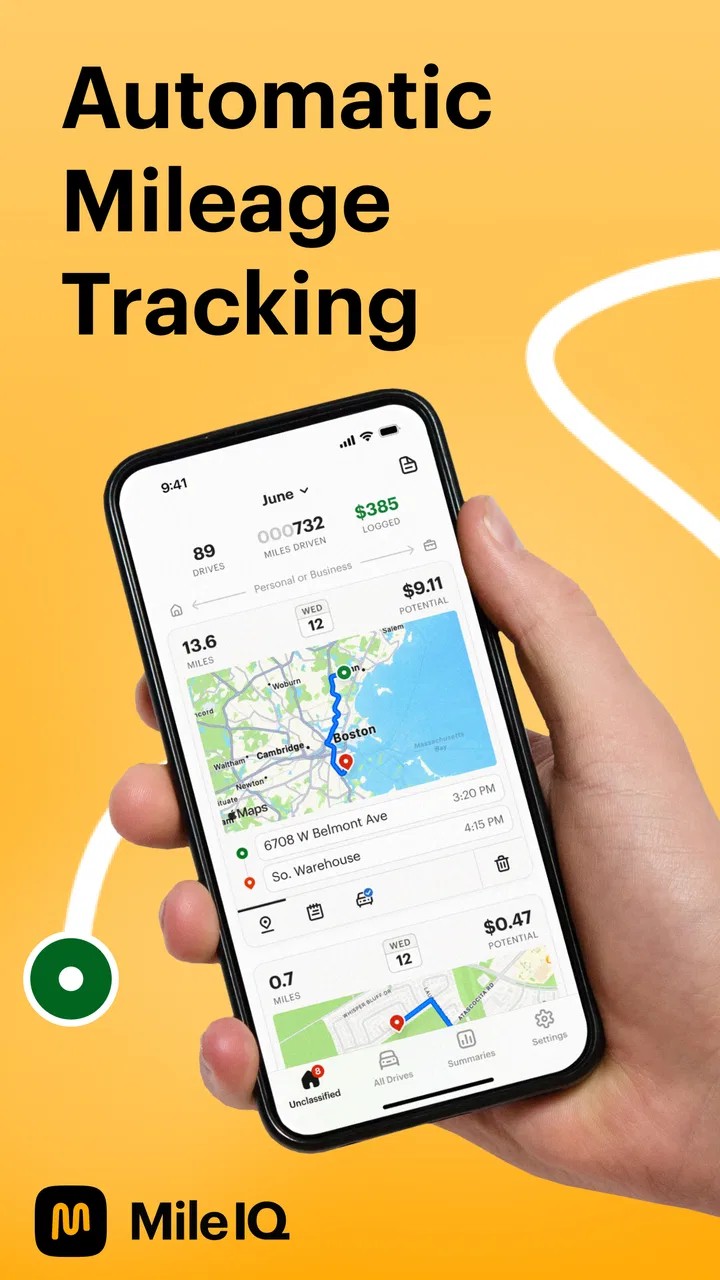
The central appeal is simple: instead of opening a log every time you leave, the app is designed to identify drives automatically. That changes the task from “remember to record every trip” to “review what was detected and classify it correctly.” For someone who makes several work-related journeys in a day, that is a meaningful difference.
You May Also Like

 Blood Strike: 2.5 Anniversary
Blood Strike’s Loadouts Turn Every Drop Into a Tactical Gamble
A close look at Blood Strike’s custom loadouts: how fast access to signature weapons reshapes its battle royale rhythm, rewards preparation, and narrows the gap between fights.

 Pandora - Music & Podcasts
Pandora’s Music Is Easy to Start, but Harder to Recover
Pandora’s strength is its low-effort path from a seed to a station. Its weak spot is how much confidence it asks you to place in connection, setup, and quiet recovery.

 8 Ball Pool
 Is Built on Rivalries, Rematches, and Routine
A close look at the rivalries, rematches, shared routines, and unanswered safety questions that turn a quick pool match into a persistent mobile community.

 Samsung Music
’s Quiet Strength Is Playing What You Already Own
Its reach comes less from spectacle than from dependable access to a personal library. That simplicity is both the app’s strongest retention engine and its ceiling.

 AccuWeather: Weather Radar
AccuWeather Review: A Quick, Clear Forecast for Everyday Decisions
For everyday plans, the best forecast is the one you can understand quickly. AccuWeather makes rain timing, radar, and local conditions easy to act on, with a few trade-offs.

 Hill Climb Racing
Why Hill Climb Racing Still Turns Crashes Into One More Run
A tiny car, a bumpy hill and one more upgrade: Hill Climb Racing keeps resurfacing because its simple chaos makes every near-miss feel personal.
More From Our News Desk



I find this approach particularly practical for people who move between client sites, offices, shops, properties, or delivery areas. A manual tracker can be perfectly adequate for one trip a week, but it becomes irritating when several short journeys are mixed with personal errands. Automatic detection is valuable because the hardest part of mileage logging is often not adding numbers; it is remembering that a drive happened at all.
The app belongs in the finance category, but it feels closer to a driving assistant than a traditional budgeting tool. It is not the sort of app I would open to plan a household budget. Its job is narrower and more focused: help turn driving activity into a record that can be reviewed later.
The cost is easy to understand, but the paid value needs judgment
MileIQ is free to install, which makes it straightforward to test without committing money at the beginning. That matters here because automatic tracking is personal: it depends on how often you drive, how consistent your routine is, and how much cleanup the detected trips require. A free starting point lets you decide whether the workflow actually saves you time.
The app also includes in-app purchases ranging from $5.99 to $139.99 per item. Those prices cover a broad span, so I would not treat the cheapest option as representative of every paid choice. The practical question is not simply whether a paid option exists, but whether the time saved and the quality of your records justify the particular purchase offered to you.
For a person who drives for work throughout the week, paying for a more capable level may make sense if it reduces forgotten trips and repetitive manual entry. For someone who drives to one occasional appointment, a free arrangement or a simple manual log may remain better value. I would start with the free access, use it during a normal working week, and only then decide whether the paid side solves a real problem.
That distinction is important because mileage tracking has two kinds of value. The first is convenience: fewer interruptions while driving and less reliance on memory. The second is record quality: having a usable history when you need to review business travel. If MileIQ gives you convenience but still requires extensive correction afterward, the value is lower than the automatic label suggests.
What the automatic workflow does well
The strongest part of the experience is the separation between driving and organizing. When the app recognizes a journey, you can deal with the classification afterward rather than stopping to type during the trip. That is safer and less distracting than trying to maintain a manual log while moving between destinations.
I also like the idea of reviewing trips in batches. Instead of treating every journey as a separate administrative event, you can set aside a short period after work to check the day’s activity. This is a better habit than waiting until the end of a month, when locations and purposes start to blur together.
A useful workflow is to classify a trip as soon as you finish a cluster of related journeys. For example, after visiting several customers, I would review those drives together while the purpose is still fresh. Then I would handle personal trips separately. This reduces the chance of mixing business and private travel simply because both happened on the same afternoon.
Another non-obvious benefit is that automatic detection can expose gaps in your own routine. If you believe you are recording every work trip but repeatedly find an unreviewed journey later, that tells you where your process needs attention. The app is not just a passive ledger; it can show whether your logging habits are actually dependable.
Where the convenience can become friction
Automatic tracking is not the same as automatic accuracy. A phone has to recognize that a journey occurred, and the result still needs human review. Short movements, unusual routes, stops close together, or a day with many personal and professional errands can create a list that needs sorting. I would not assume that every detected drive is ready to use without checking it.
That review step is the main trade-off. MileIQ can save the effort of remembering to start a log, but it does not remove the responsibility to inspect the record. If you ignore the app for weeks, the eventual cleanup may be more tedious than a quick daily habit. Automatic collection works best when paired with regular classification.
There is also a mental adjustment involved. With a paper notebook or a basic mileage form, you know exactly when a record is created. With an automatic system, you first trust the app to notice the trip and then verify what it captured. People who prefer complete control over every entry may find that less comfortable than manually recording the odometer, destination, and purpose.
I would also be cautious about treating the app as the only evidence for an important financial record. A mileage tracker can organize travel, but I would still keep the habit of adding useful context while the trip is fresh, such as why the journey was made and which client or work task it related to. The more important the record, the less I would rely on a bare list of routes without personal review.
Practical advice before relying on it
The first step is to use MileIQ during a representative period rather than testing it only on a quiet weekend. A normal workweek reveals much more: repeated short trips, mixed personal and business driving, parking stops, and days when the phone is not being handled in the usual way. That gives you a realistic picture of the amount of review required.
I would create a simple review routine. Check the day’s drives at the end of work, correct classifications while destinations are recognizable, and make a note of any trip whose purpose is unclear. This is more reliable than trying to reconstruct an entire month later. The app handles collection, but your routine supplies the context.
It is also worth deciding in advance how you will handle mixed days. Imagine a self-employed photographer driving from home to a studio, then to a client, then stopping at a supermarket before returning home. The app may help surface the journeys, but only the driver knows which segments were business-related. Separating those categories immediately is much easier than guessing later from a route alone.
Another useful habit is to compare the app’s record with your calendar or appointment list. This is not redundant. The mileage history can tell you that a drive happened, while the calendar can remind you why. Together, they create a stronger review process than either source alone.
Who is likely to get the most value
MileIQ is a strong fit for freelancers, contractors, sales workers, field technicians, real-estate professionals, carers, and anyone whose work involves repeated travel in a personal vehicle. These users have a clear reason to avoid forgotten drives, and the time saved by automatic detection can accumulate quickly.
It can also suit people who are organized about reviewing records but not naturally good at starting them. That is a different problem from poor bookkeeping. Someone may be perfectly capable of checking a list every evening yet consistently forget to open a manual tracker before leaving. Automatic detection addresses that specific weakness.
People with irregular schedules may benefit as well. A driver who works from different locations each week cannot depend on a fixed routine such as “record the commute every morning.” A system that watches for journeys can be more practical than a template built around predictable travel.
On the other hand, I would skip it if you rarely drive for work or if your employer already provides a simple, trusted reporting process that takes almost no effort. In that situation, adding another app may create another record to reconcile without delivering much improvement.
I would also hesitate if you strongly prefer manual control and dislike reviewing automatically collected activity. A plain spreadsheet or notebook may be better for a driver who makes only a few trips and wants to enter each one deliberately. The usual alternative is less convenient, but sometimes transparency matters more than automation.
How it compares with manual logs and broader finance tools
Compared with a notebook, MileIQ’s advantage is memory support. A notebook waits for you to remember the trip. MileIQ is designed to bring the journey into your review process automatically, which is especially helpful when your day is busy or interrupted.
Compared with a spreadsheet, it reduces the initial typing but may require more trust and checking. A spreadsheet gives you a clear structure and full control over categories, formulas, and supporting notes. MileIQ is more convenient at the collection stage, while a spreadsheet can be more flexible for people who already have a detailed accounting system.
Compared with a general finance app, MileIQ is more specialized. A budgeting app may track spending, bills, and accounts, but it is not necessarily built around the practical problem of identifying work-related drives. If mileage is your main concern, a focused tool is likely to feel less cluttered than a full financial dashboard.
The best combination may be to use MileIQ for capturing and organizing journeys, then transfer the information into whatever accounting or expense process you already trust. That approach recognizes the app’s strength without asking it to replace every financial record you maintain.
Device and version considerations
The current version is 5.29.0.10000059, and the app supports Android 6.0 or later. That makes the minimum requirement relatively accessible for users with older compatible phones, although real-world comfort still depends on the device you carry and how well it handles background activity.
Before making it part of an important work routine, I would spend time checking the app on your own phone during ordinary driving. The relevant test is not just whether it opens; it is whether the daily detection-and-review process feels dependable and manageable for you. A compatible operating system is necessary, but it does not guarantee that your personal routine will be effortless.
I would also avoid installing it immediately before a crucial reporting deadline. Give yourself time to learn how the app presents trips, how much classification you need to do, and how you want to keep supporting notes. That small preparation step reduces the risk of discovering your preferred workflow only after the records are needed.
My buying decision after weighing the trade-offs
For me, the free entry point is the most convincing part of the value proposition. It lets a driver answer the important question through actual use: does automatic mileage capture reduce forgotten trips and administrative work, or does it simply create another list to maintain? Because driving patterns vary so much, that answer cannot be determined from the app’s category or rating alone.
The paid options are easier to justify for someone with frequent work travel, repeated reporting duties, and a clear cost to missing mileage. They are harder to justify for occasional drivers, people with employer-managed logs, or anyone who already maintains a quick and accurate manual system. I would judge the purchase by saved effort and improved consistency, not by the promise of automation in isolation.
My final recommendation is to try MileIQ if your main problem is forgetting drives. Use it actively for a normal work period, review trips regularly, and keep enough context to understand each business journey later. If that routine feels lighter than manual entry, it can become a useful part of your finance workflow.
If your needs are minimal or you want complete control over every field, a spreadsheet or notebook may remain the better choice. MileIQ is not valuable because it eliminates all record keeping; it is valuable when automatic collection solves the specific moment at which your current method fails. For the right driver, the real benefit is dependable capture followed by quick human review, and that is a sensible reason to start with its free access before considering any in-app purchase.
FAQs for Mileage Tracker & Log - MileIQ
01What is MileIQ and how does it work?
MileIQ is a mileage tracking app designed to automatically log your drives and help you differentiate between business and personal trips. Once installed, it uses your phone's GPS to track your journeys in the background, categorizing them with a simple swipe. It's perfect for freelancers, small business owners, and anyone who needs to keep track of mileage for tax purposes.
02Is MileIQ free to use?
MileIQ offers a free version that allows users to log up to 40 drives per month. For those who require more extensive tracking, a premium subscription is available. The premium version provides unlimited drive tracking and additional features like advanced reporting and data export, making it suitable for more intensive business needs.
03How secure is my data with MileIQ?
MileIQ prioritizes user privacy and data security. Your data is stored securely with encryption, and the app complies with data protection regulations. Additionally, users have control over their data, allowing you to manage and delete your trip history as needed. MileIQ's commitment to security ensures your information remains safe.
04Can I use MileIQ for both business and personal trips?
Yes, MileIQ is designed to track both business and personal trips seamlessly. After each drive, you can easily categorize your trips by swiping left for personal or right for business. This feature makes it simple to separate and organize your mileage for more accurate reporting and reimbursement.
05Is MileIQ compatible with both Android and iOS devices?
MileIQ is available for both Android and iOS platforms, ensuring broad compatibility across devices. The app integrates smoothly with your smartphone's GPS to track mileage efficiently in the background. Regular updates keep the app functioning optimally, providing a consistent user experience regardless of your device choice.
Pros
- Automatic trip detection saves time.
- Seamless integration with expense reports.
- User-friendly interface.
- Accurate mileage tracking.
- Cloud backup for data security.
Cons
- Limited free version features.
- Requires GPS
- draining battery.
- Occasional trip misclassification.
- Subscription can be pricey.
- No offline tracking capability.

Mileage Tracker & Log - MileIQ
Gallery